Make custom image mask using css
Generate your image mask using this “clippy” tool
-webkit-clip-path: polygon(50% 0%, 100% 50%, 50% 100%, 0% 50%);
clip-path: polygon(50% 0%, 100% 50%, 50% 100%, 0% 50%);


Personal notes
Make custom image mask using css
Generate your image mask using this “clippy” tool
-webkit-clip-path: polygon(50% 0%, 100% 50%, 50% 100%, 0% 50%); clip-path: polygon(50% 0%, 100% 50%, 50% 100%, 0% 50%);
Note: can be applied to general page
Note 2: If applied to specific element/container a position absolute may be necessary
CSS
p.customClass {
  overflow-y: scroll;
}

p.customClass::-webkit-scrollbar {
  width: 12px;
  height: 12px;
  border-bottom: 1px solid #eee;
  border-top: 1px solid #eee;
}

p.customClass::-webkit-scrollbar-thumb {
  border-radius: 8px;
  background-color: rgba(98, 93, 78, 0.75);
  border: 2px solid #eee;
}

p.customClass::-webkit-scrollbar-corner {
  background-color: transparent;
}
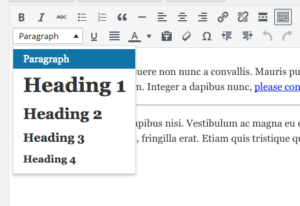
function custom_wp_texteditor_styles ($arr){
    $arr['block_formats'] = 'Paragraph=p;Heading 1=h1;Heading 2=h2;Heading 3=h3;Heading 4=h4;';
    return $arr;
  }
add_filter('tiny_mce_before_init', 'custom_wp_texteditor_styles');
add_action( 'after_setup_theme', 'wpse3882_after_setup_theme' );
function wpse3882_after_setup_theme()
{
    add_editor_style();
}

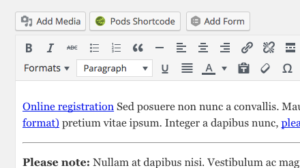
add_filter('mce_buttons_2', 'wpse3882_mce_buttons_2');
function wpse3882_mce_buttons_2($buttons)
{
    array_unshift($buttons, 'styleselect');
    return $buttons;
}

add_filter('tiny_mce_before_init', 'wpse3882_tiny_mce_before_init');
function wpse3882_tiny_mce_before_init($settings)
{
    $settings['theme_advanced_blockformats'] = 'p,h2,h3,h4';

    // From http://tinymce.moxiecode.com/examples/example_24.php
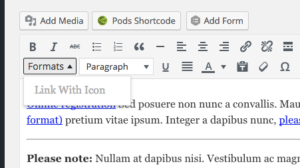
    $style_formats = array(
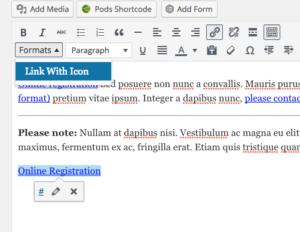
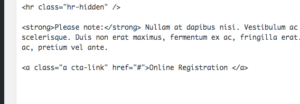
        array('title' => 'Link With Icon', 'selector' => 'a', 'classes' => 'cta-link')
    );
    // Before 3.1 you needed a special trick to send this array to the configuration.
    // See this post history for previous versions.
    $settings['style_formats'] = json_encode( $style_formats );

    return $settings;
}